

D2L (the company that owns Brightspace) uses Continuous Delivery to update our Brightspace system. The Continuous Delivery model gives us regular monthly updates allowing for incremental and easily integrated changes with no downtime required for our Brightspace system.
Our Continuous Delivery update occurs on the 4th Thursday of each month. D2L provides release notes to help users stay up-to-date with the changes.
Here are some of the updates in the May 2026/20.26.05 release that were added to our system this month:
1) Assignments – Improved Assignments Submissions layout with accessibility enhancements
D2L refined the Assignments Submissions page by improving the layout in both standard and wide views, reducing the need for horizontal scrolling, and creating a cleaner, more consistent experience. All recent accessibility improvements remain in place.
This change improves the visibility of key information, such as submission dates and learner names, making the page easier to review.
Previously, the page layout with a long file could make it difficult to view key information without scrolling, especially when additional columns, such as Turnitin Similarity Report, were enabled.
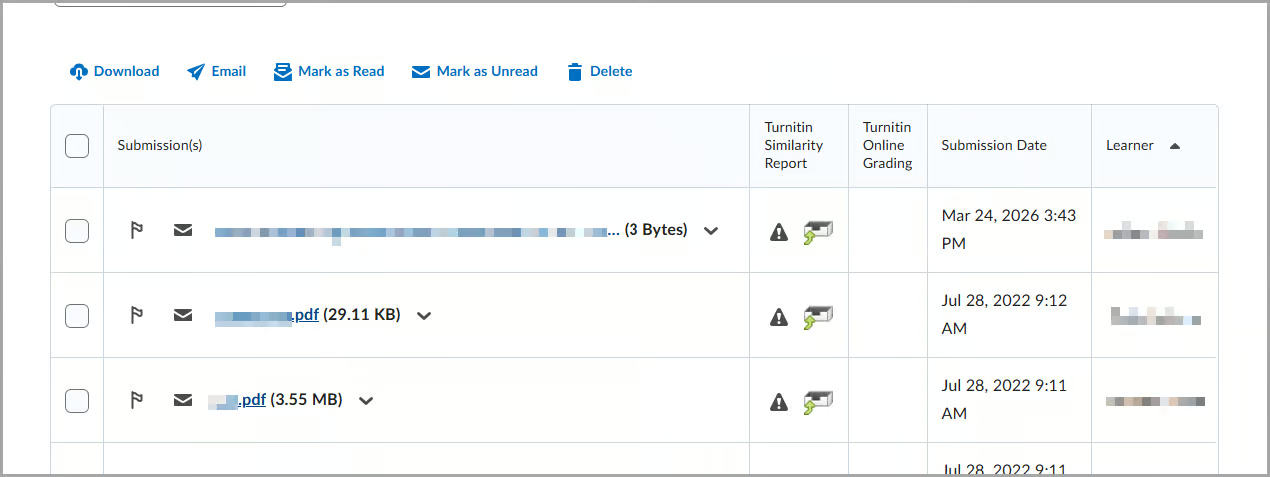
This feature implements the following PIE item:
- D13434 (Remove unnecessary scrolling from the Assignment submission page where Turnitin is enabled)
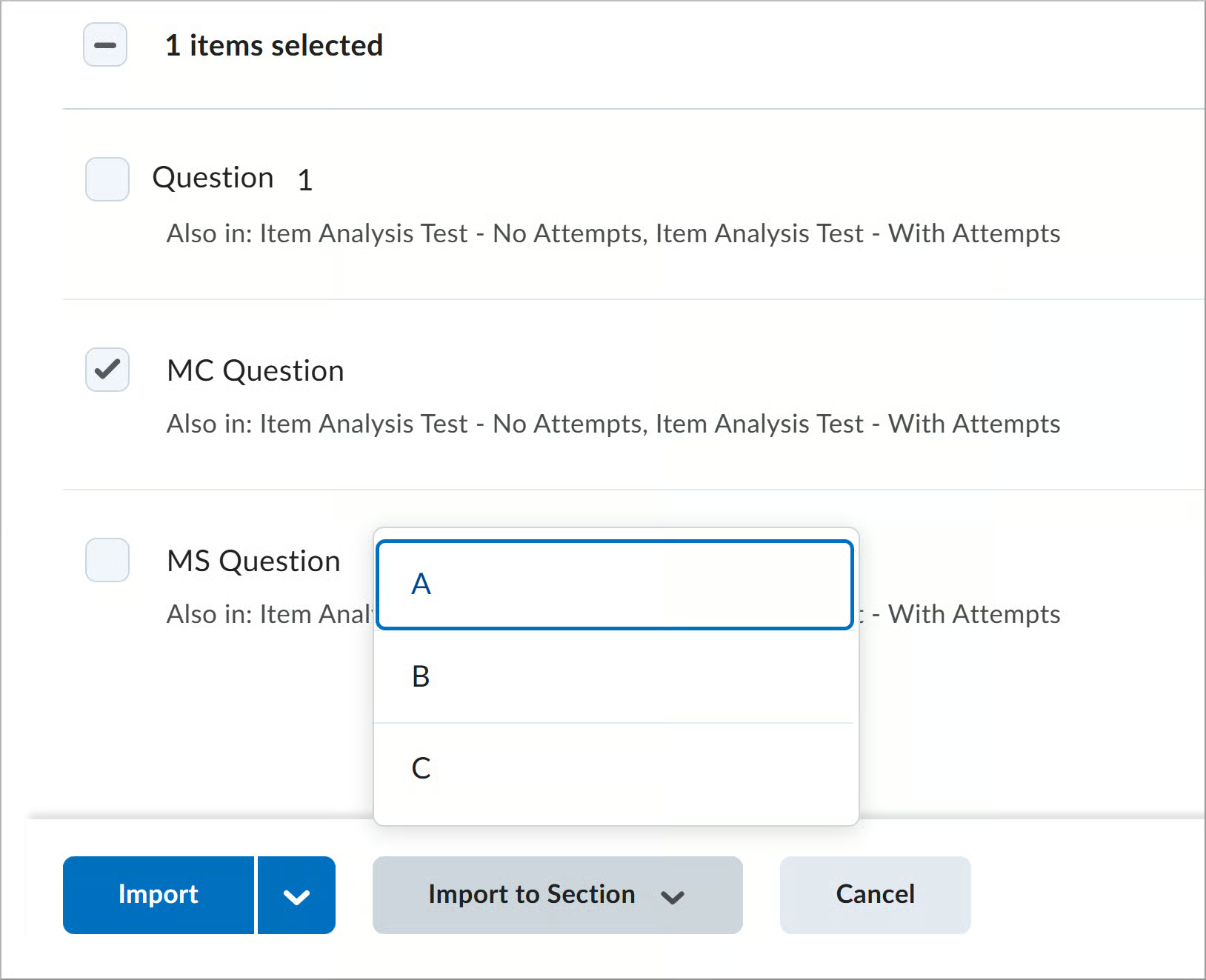
2) Quizzes – Improved Browse Question Library Import button styling and behavior
This update improves the consistency and usability of the Import options in Browse Question Library.
Available import options vary depending on whether the quiz contains sections:
- The main Import action remains a button for quizzes with no sections.
- The Import to Section option is now a separate button for quizzes with sections.
This change makes actions more visible and easier to access. Previously, the Import option appeared as a split button with multiple actions in a dropdown.


If you are interested in getting more information about this and all the May Continuous Delivery updates, refer to the Brightspace Platform May 2026/20.26.05 Release Notes.
Additionally, refer to the Brightspace Release Notes for Continuous Delivery Releases, for details about current, past, and to preview upcoming continuous delivery updates.
Want more information?
View current, past, and preview upcoming Continuous Delivery release notes
Instructors Quick Start Tutorial
Brightspace Known Issues
Request a sandbox course
Sign-up for Brightspace training sessions
You can find Brightspace help at D2L's website.
Join the Brightspace Community.
Try these Brightspace How-To documents.
Visit our Brightspace FAQs for additional Brightspace information
or schedule a one-on-one session, email, or
call Janice Florent: (504) 520-7418.
Note: Are you doing something innovative in Brightspace or perhaps you've discovered a handy tip? Share how you are using Brightspace in your teaching and learning in The Orange Room.